

This download is no longer available. This could be due to the program being discontinued, having a security issue or for some other reason.

You can download these alternatives

A free app for Windows, by 6Wunderkinder.

Wunderlist For Windows 10

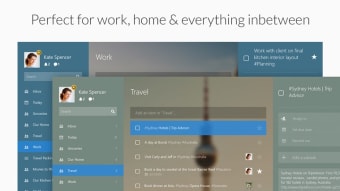
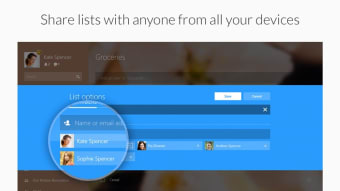
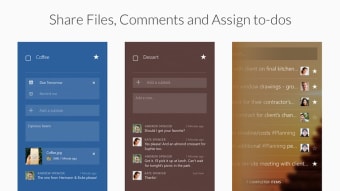
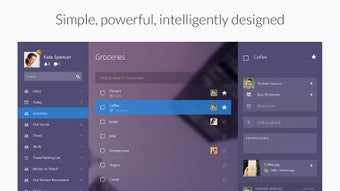
is a free app for Windows, belonging to the category 'Agenda & Calendars'.

Top Recommended Alternative

About Wunderlist For Windows 10 for Windows

This program has been published on Softonic on November 23th, 2010 and we have not had the opportunity to test it yet.

We encourage you to try it and leave us a comment or rate it on our website. Our user community will really appreciate it!

Wunderlist For Windows 10 is available for Windows 10 or above. The current version of the software is 3.19.7, and you can run it in English, Spanish and German.

 0/5

App specs

  • License

    Free

  • Version

    3.19.7
  • Latest update

  • Platform

    Windows

  • OS

    Windows 10

  • Language

    English

    Available languages

    • German
    • English
    • Spanish
    • French
    • Italian
    • Dutch
    • Polish
    • Portuguese
    • Russian
  • Downloads

    40.8K

  • Size

    16.69 MB

  • Developer

Program available in other languages


This download is no longer available. This could be due to the program being discontinued, having a security issue or for some other reason.

You can download these alternatives


User reviews about Wunderlist for Windows 10

3.5

2 reviews

Add review

Main reviews for you

  • Anonymous user

    A useless to-do list with synchronisation issues. Wunderlist used to be alright - now it's useless. Not only I can't add more than a certain number of subtasks, as soon as I add them, they get cleared out. I had this issue with the web version where it stops syncing items after they release an update. Now the desktop version started deleting my to-dos from my lists. I could only replicate it by adding an items and clicking on 'Sync Now' - the item(s) immediately disappear.Now I'm in the middle of exporting ALL my lists for an import to Trello.I'm not sure if it's down to the new update (not released to desktop yet), but a software that doesn't work is no software. One star for the effort and being free. Pros: The look Cons: No more than a set number of subtasks in freeSerious syncing issues

  • Anonymous user

    The Best To-do list. I tried many others, including Producteev, SimpleTask and iProcrastinate. Wunderlist is the one that I recommend it to all my friends. And I recommend it to you too.It's compatible with every major operating system, including Windows, Mac, Linux, iPhone, iPad, Android, BlackBerry and Windows Phone. It even has a web app. Pros: Online syncing gives you the ability to manage your to-do list from anywhere, and add things as soon as you think of them. The app is a treat to use. Tasks can be dragged and dropped with ease. The interface is positively uncluttered. Ticking off tasks feels so satisfying.What I particularly like is that you can go back and review the tasks you've already done.And it's free! Cons: There are a few more features it needs, such as the ability to sub-divide tasks, color-coded items, and repeating events. I hope they implement these soon.

More

You may also like

Alternatives to Wunderlist for Windows 10

Explore Apps

Latest articles

Laws concerning the use of this software vary from country to country. We do not encourage or condone the use of this program if it is in violation of these laws.